Read and reply
Click a conversation to open it. Its emails are shown as cards, oldest at the top. The newest is opened out; click the header of any other card to open or close it.
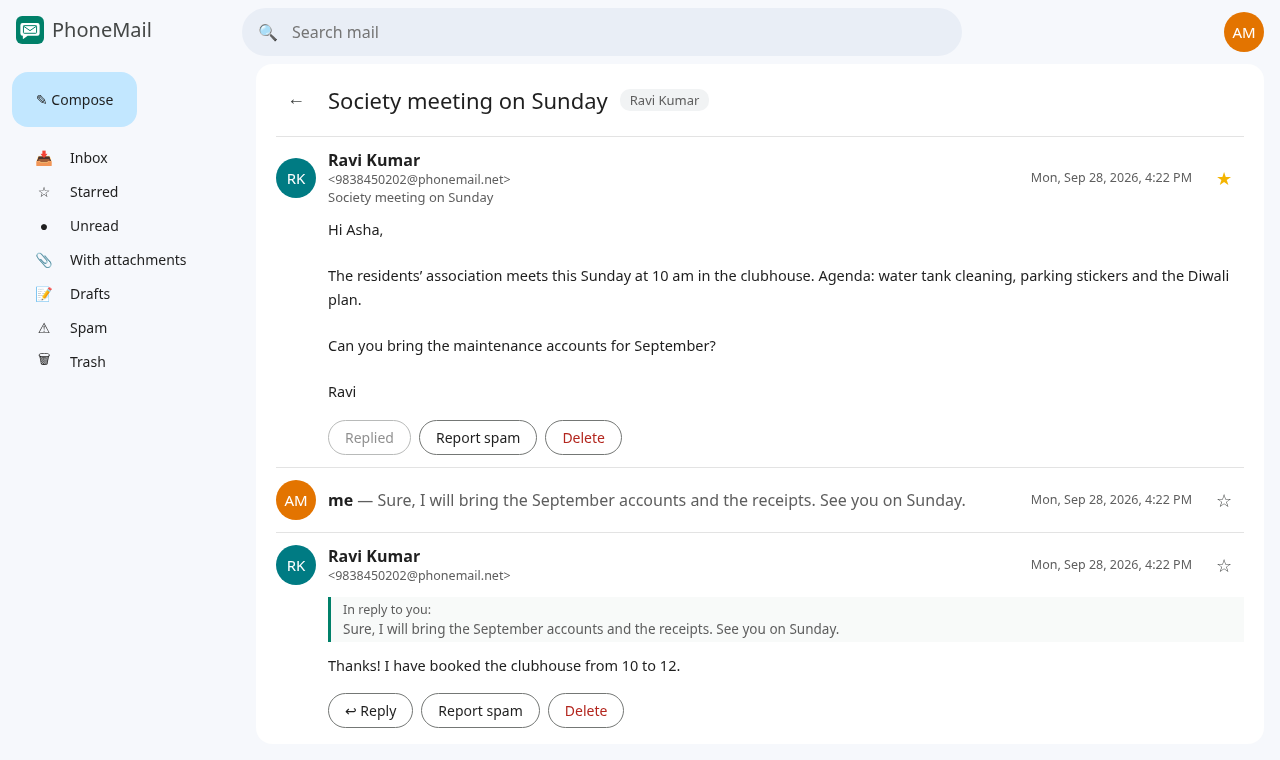
Each card shows who sent it, when, and the full text. A reply shows a short quote of the email it answers ("In reply to…").
Reply
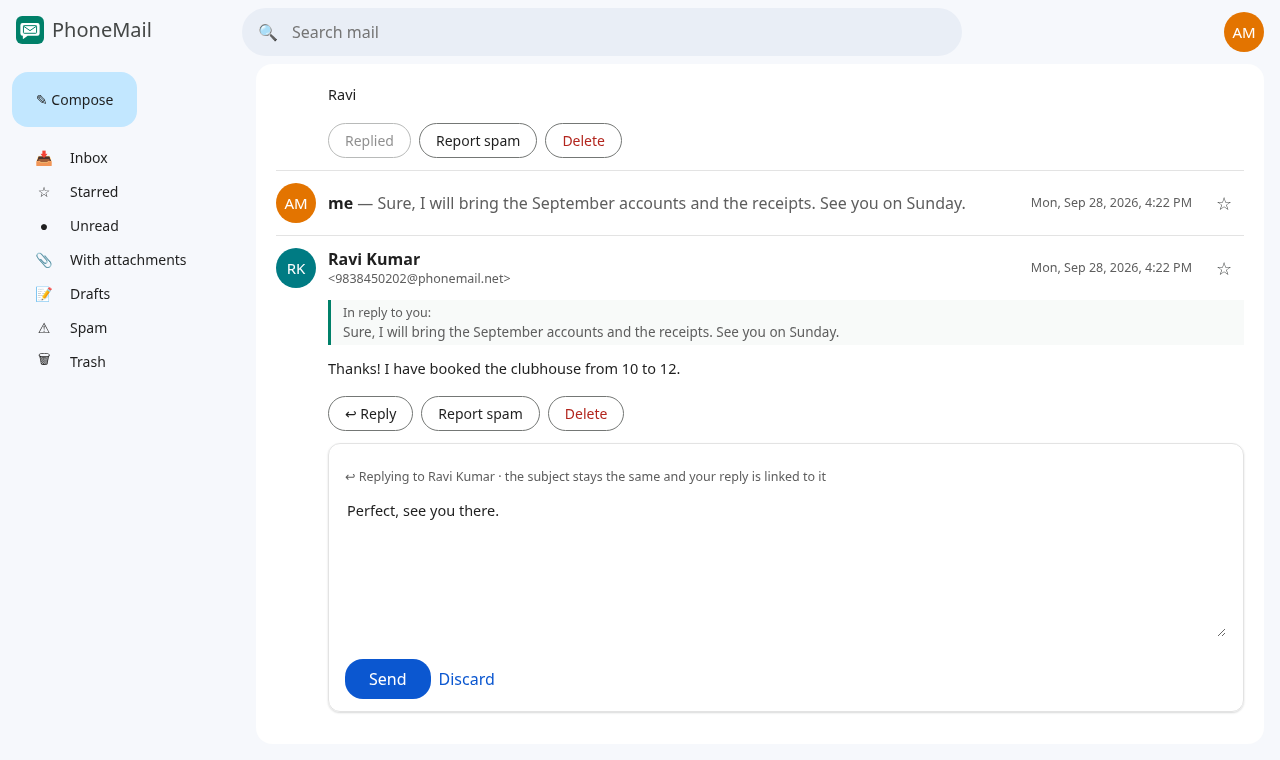
- Under the email you want to answer, press ↩ Reply.
- Type your reply and press Send.
Things to know about replies:
- A reply goes to the same people as the conversation. You can't add new recipients inside a conversation; to write to someone new, use Compose.
- The subject stays the same, so there is no subject field.
- You can reply to each email only once. After you reply, the button changes to Replied and is greyed out. You can still reply to a later email in the same conversation.
Star, report spam, delete
| Button | What it does |
|---|---|
| ☆ / ★ (on the right of the card) | Stars or un-stars the email; starred conversations appear under Starred |
| Report spam | Moves the email to Spam |
| Delete | Moves the email to Trash |
These only change your copy; the other people keep theirs.
To bring an email back, open Spam or Trash, click the email, and press Move to Inbox.