Profile and settings
Click your initials at the top right, then Profile and settings.
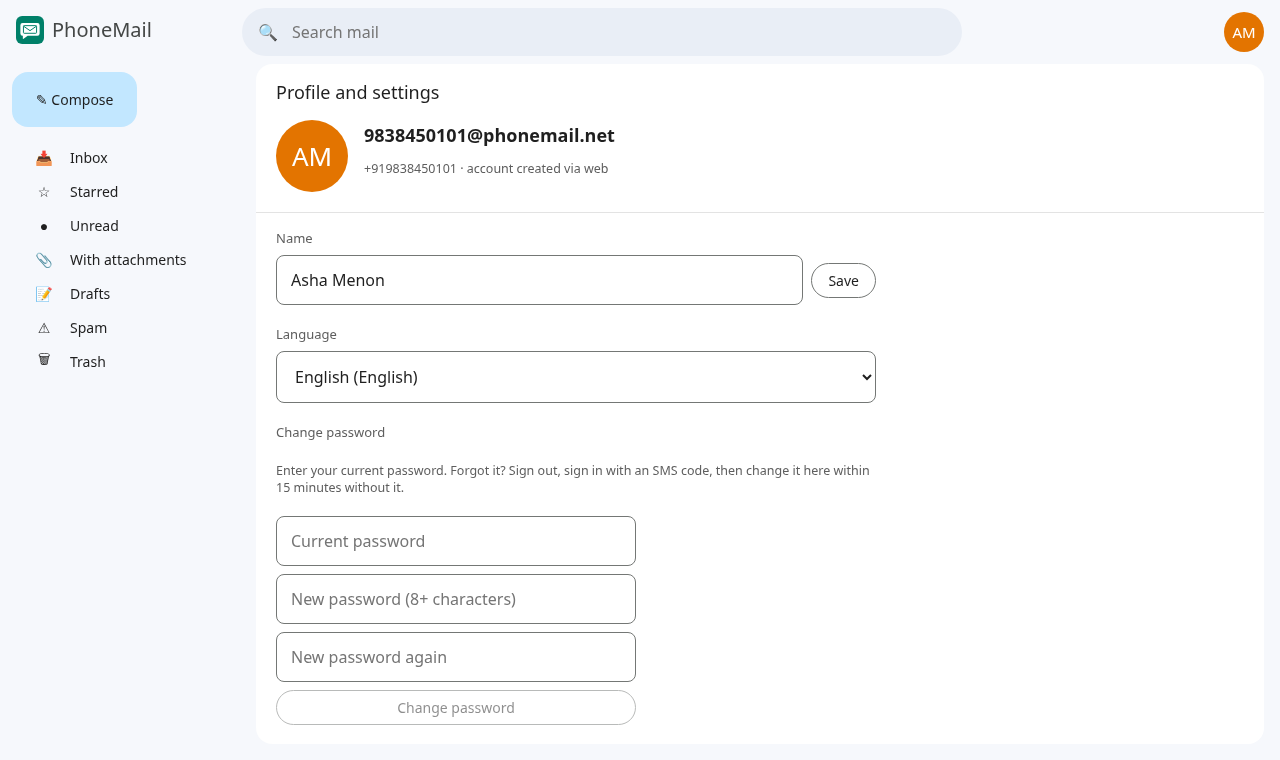
Your name
Type your name and press Save. People you write to see this name instead of just your number.
Language
Choose your language from the list. The choice is saved to your account.
Translated screens are still being prepared; for now PhoneMail shows English whatever you choose.
Password
A password lets you sign in without waiting for a text, and is needed for webmail (Roundcube) and mail programs.
- Change it under Change password: type your current password, then the new one twice (8 or more characters), and press Change password.
- Never set one? The section is called Set a password and doesn't ask for a current one.
- Forgot it? Sign out, sign in with a text-message code, and change it within 15 minutes; the current password isn't asked for then.
- The same can be done in the iPhone and Android apps (Settings → Password) and in webmail (Settings → Password).
Alias IDs
An alias is an extra address for your account, for example asha.menon@phonemail.net. Mail sent to an alias, from PhoneMail or from any other email provider, arrives in the same conversations as mail to your number.
- Add: type the name part (3 to 32 letters, numbers, dots, dashes or underscores, starting with a letter) and press Add.
- Remove: press Remove next to it.
Each alias can belong to only one person, and a few names used by the service itself are reserved.